
See the totals first
Workouts, sets, and exercises are counted up front, before saving.
Reps imports your Strong or Hevy CSV export and shows you every workout, duplicate, and exercise match before it saves a thing.


Free on iPhone and Android. See what Reps imports
Reps imports CSV exports from Strong and Hevy: same workouts, same exercises, same PRs. Using something else, like JEFIT, Fitbod, or FitNotes? Ask for it at support@trackreps.com.
Both apps export your history as a CSV file. Save it somewhere you can open it on your phone.
The exact steps for your version are in Strong's export help article.
The exact steps for your version are in Hevy's export help article.
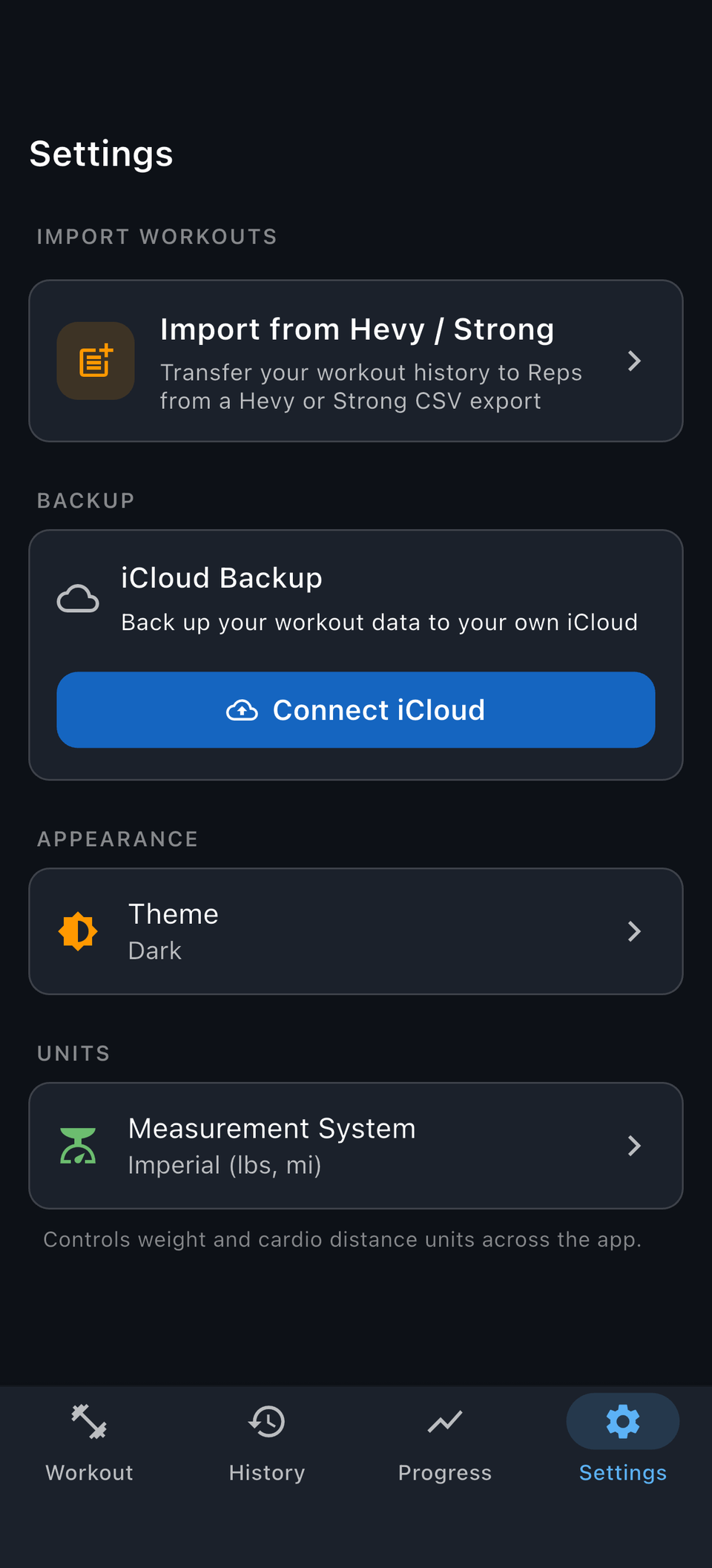
The import lives in Settings, and every decision happens on a preview of your real data.
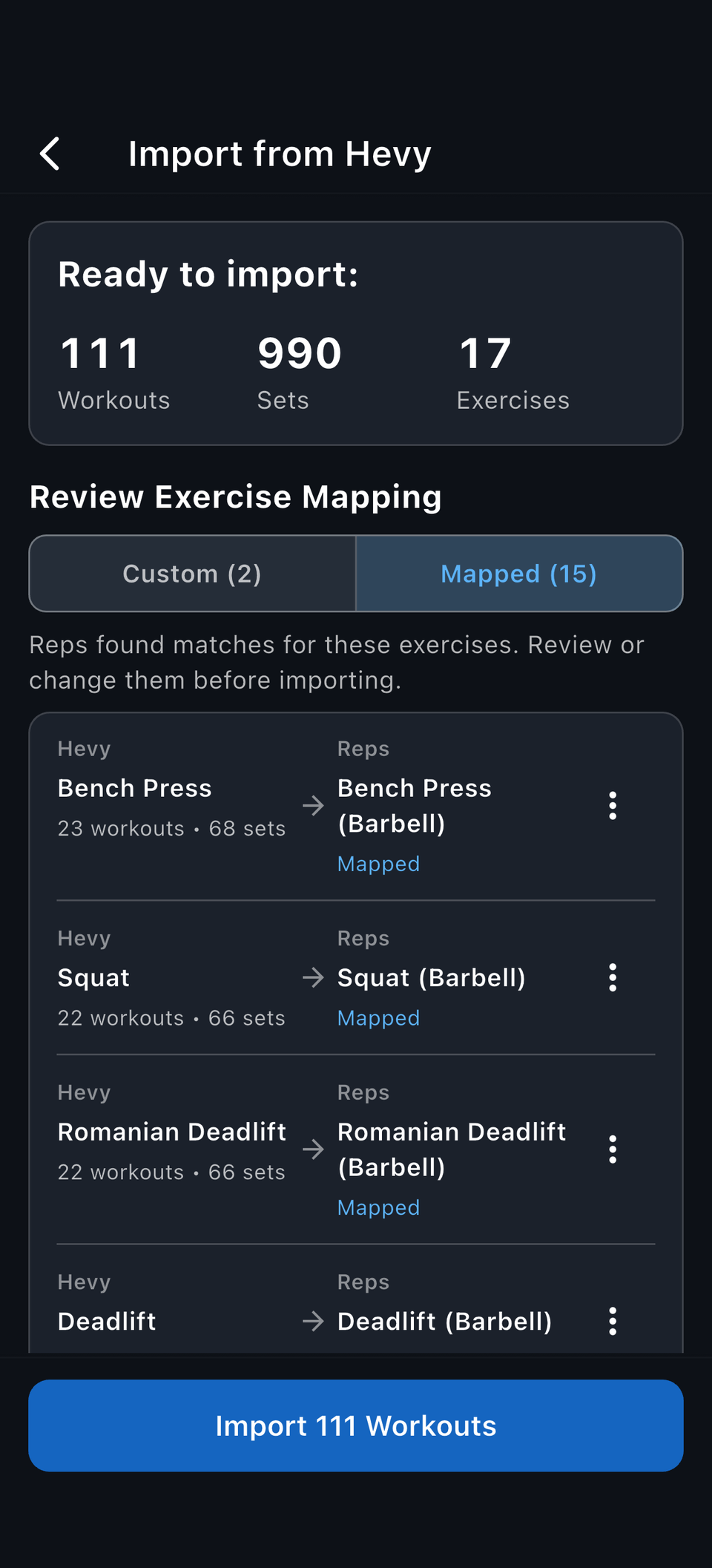
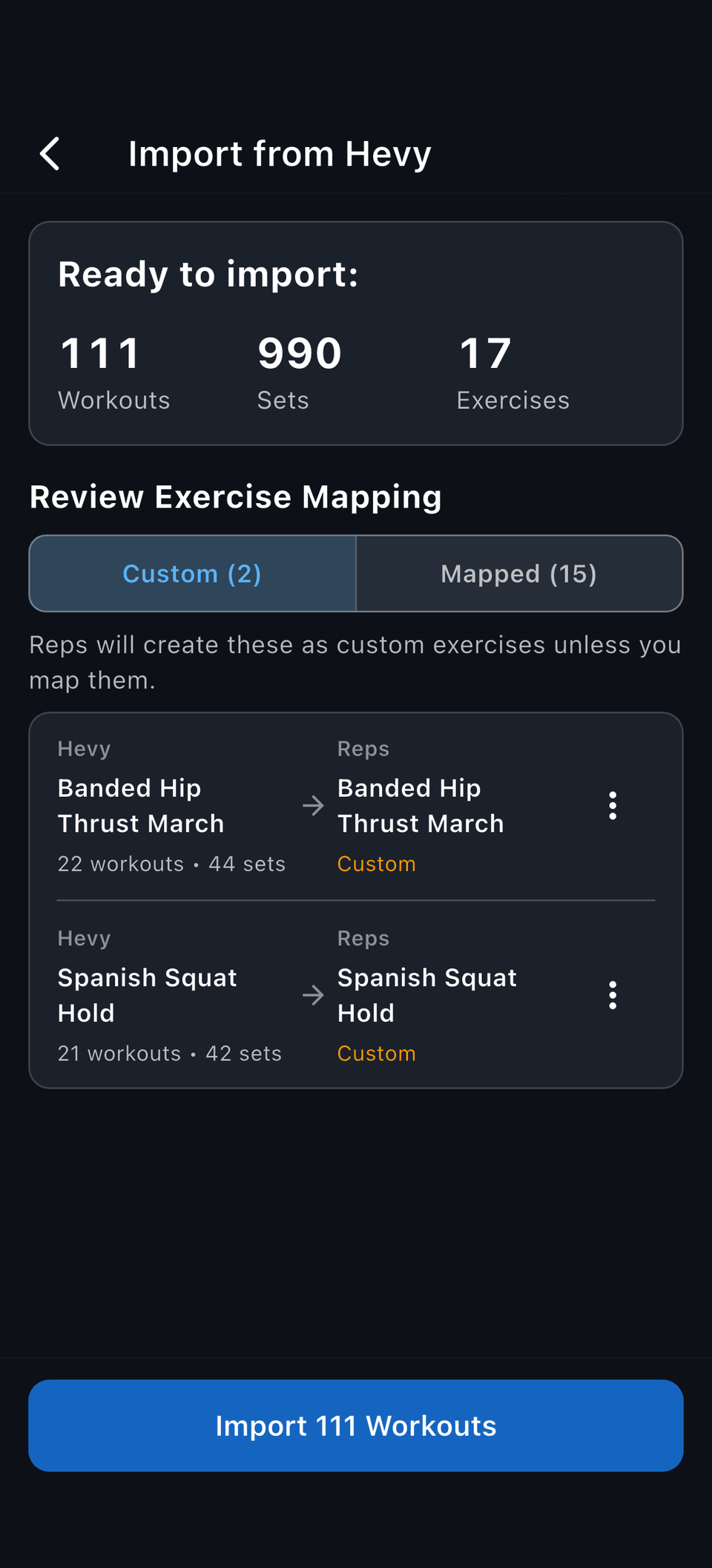
Reps parses your file, maps exercises, and classifies duplicates. Nothing is written until you confirm.
Workouts, sets, and exercises are counted up front, before saving.
Known movements map automatically; anything uncertain becomes a proposed custom exercise you can remap.
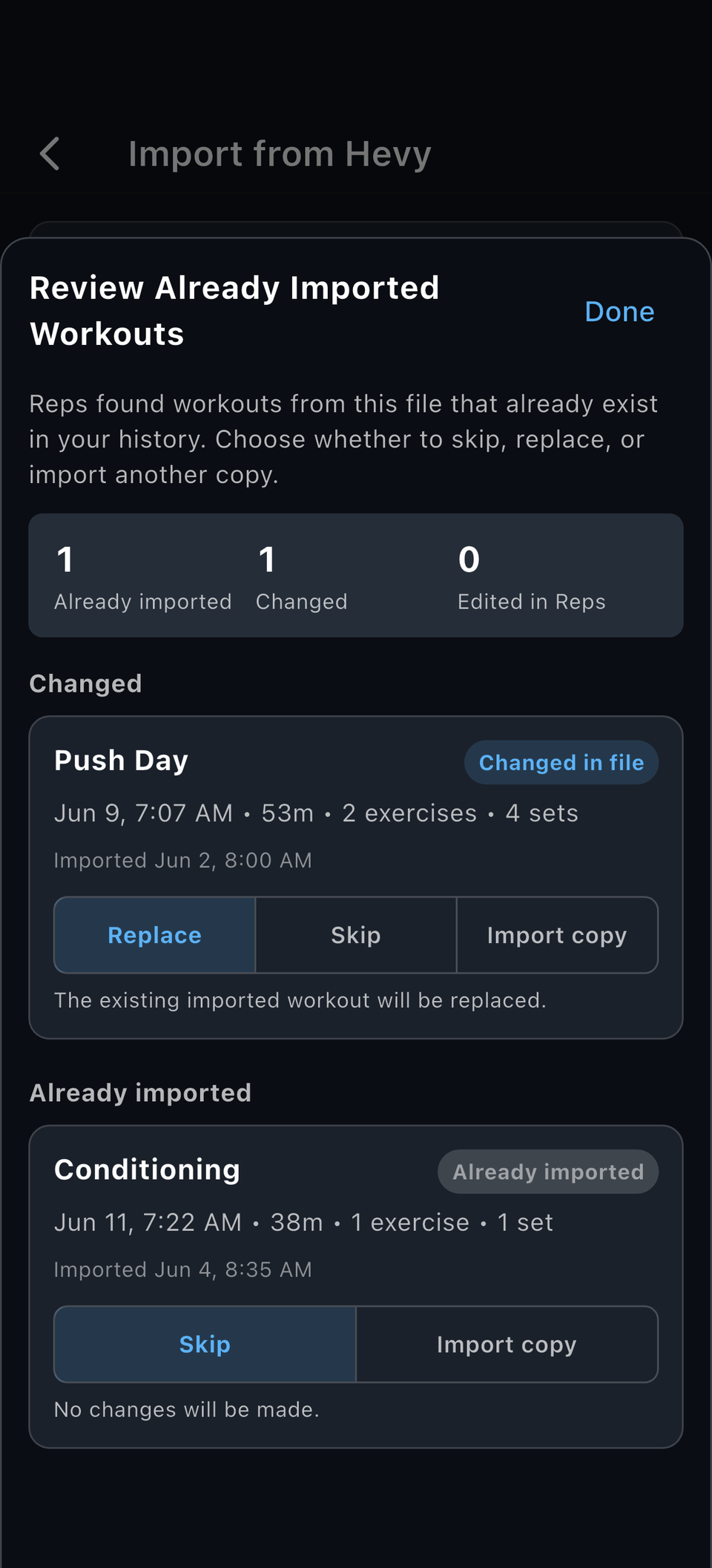
Importing the same file twice should not double your history. Reps classifies imported workouts before saving them.
Imported normally.
Skipped by default so nothing doubles.
Can replace the earlier import when the file version is newer.
Skipped by default so your local edits are never silently overwritten.
Field-by-field, this is what comes across from each source CSV. Weights and distances convert to your Reps units automatically.
Hevy workout CSV exports carry:
Strong CSV exports carry:
Strong's CSV does not include supersets, so those groupings do not carry over.
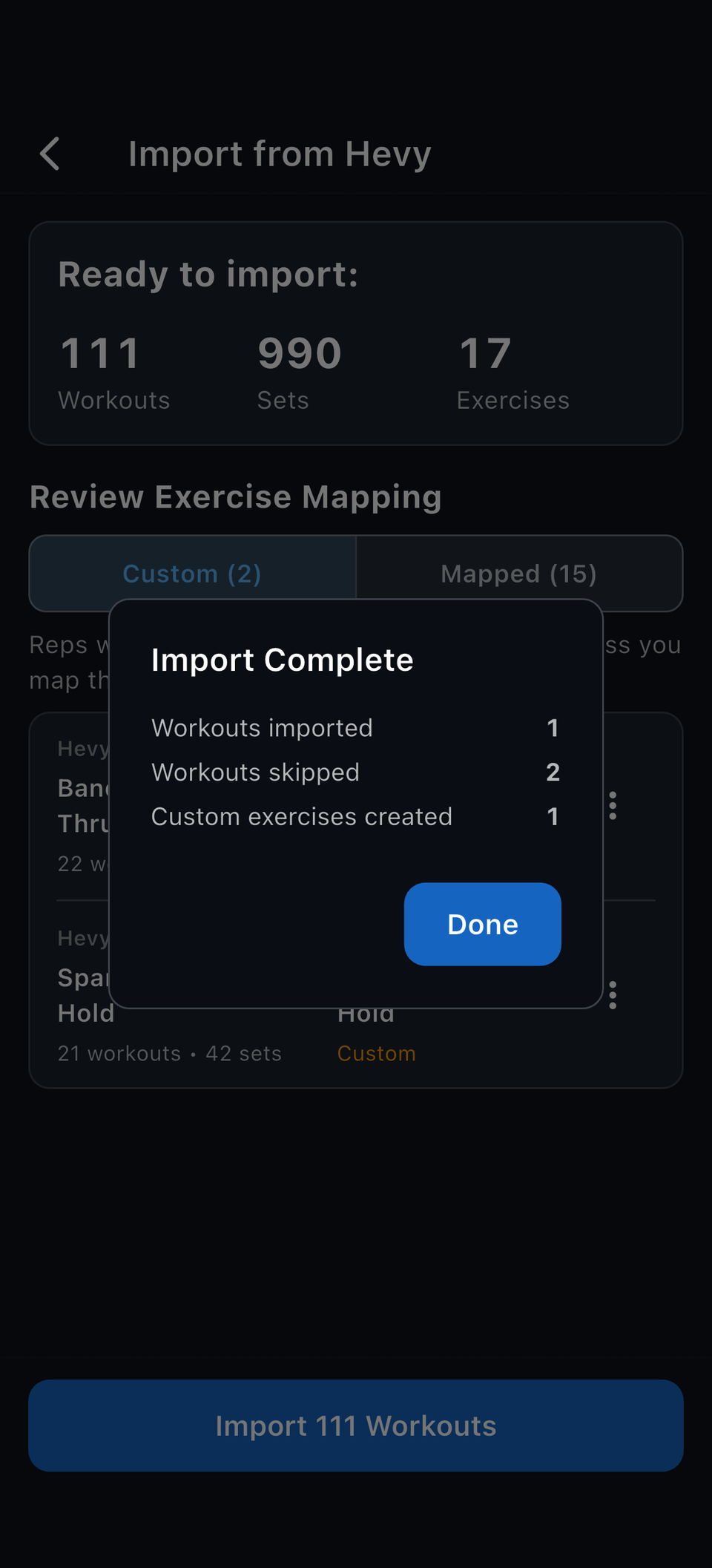
Once you confirm, Reps saves the workouts you picked, applies your exercise mapping, skips the duplicates you told it to skip, and recomputes your PRs.
Imported history joins your Reps history everywhere: logging, stats, previous results, and PRs.
Yes. Import your Strong CSV export and review the preview before anything saves.
Yes. Import your Hevy workout CSV export and review the preview before anything saves.
Reps preserves workout dates, names, notes, exercises, sets, weights, reps, RPE, duration, and distance. The full field lists are above.
Reps classifies duplicates as new, exact duplicate, changed duplicate, or changed duplicate with local edits. The defaults never double or overwrite your data.
No. Reps proposes custom exercises when a source exercise does not map confidently to an existing Reps exercise.
Not yet. Reps imports from Strong and Hevy today; ask for your app at support@trackreps.com.
Import your Strong or Hevy history, review it before anything saves, and your PRs carry over. Free on iPhone and Android.