
Weight and reps
Two taps to record the set, one tap to mark it done.
Log sets, reps, and notes without slowing down your workout, with rest timers and previous results in view. Your full history stays free and easy to review.


Free on iPhone and Android.
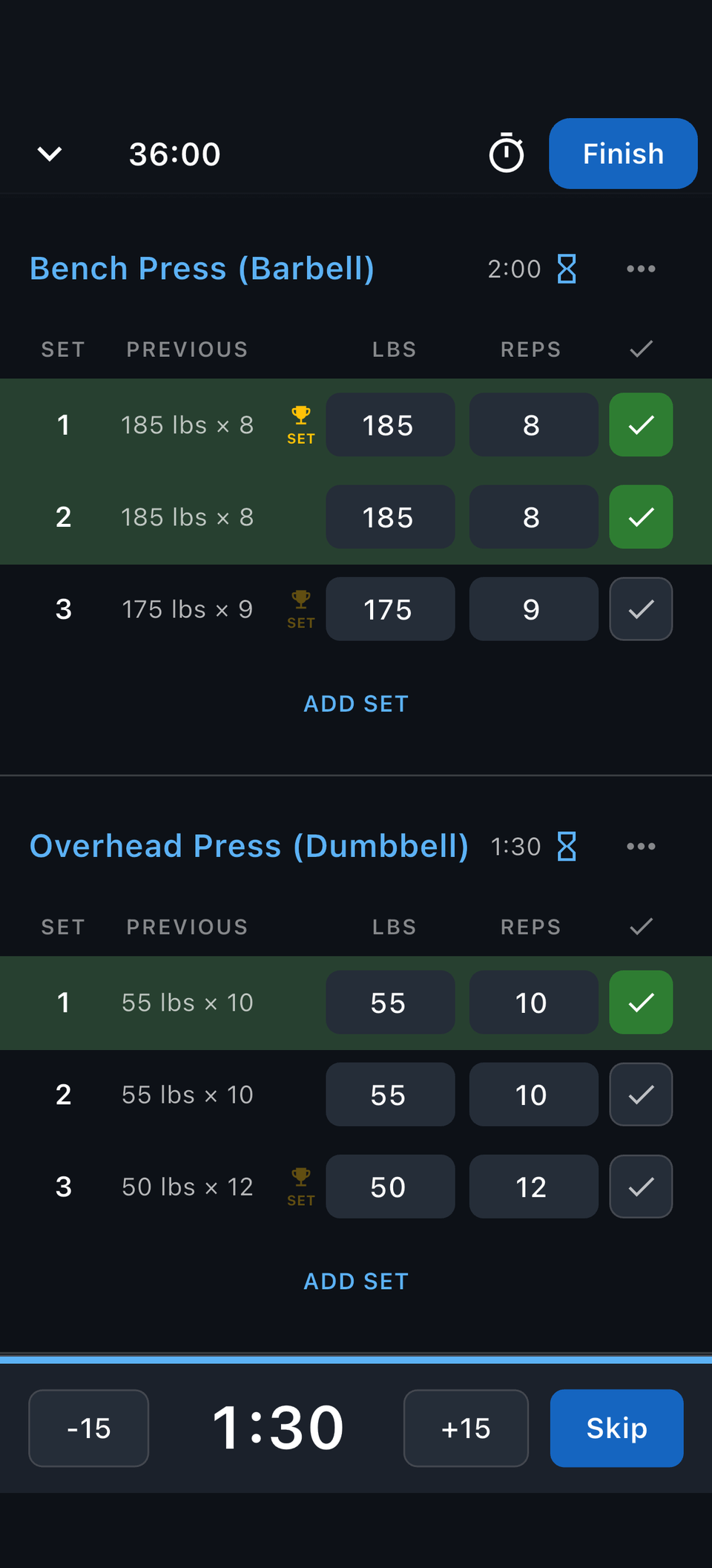
Faster than a notebook and cleaner than a spreadsheet. Enter weight and reps, check off sets, add notes, and keep moving.
Two taps to record the set, one tap to mark it done.
Timed holds and cardio go in the same log as your lifts.
Per-exercise timers keep the pace between sets.
Capture how a set felt, or fix an entry without leaving the workout.
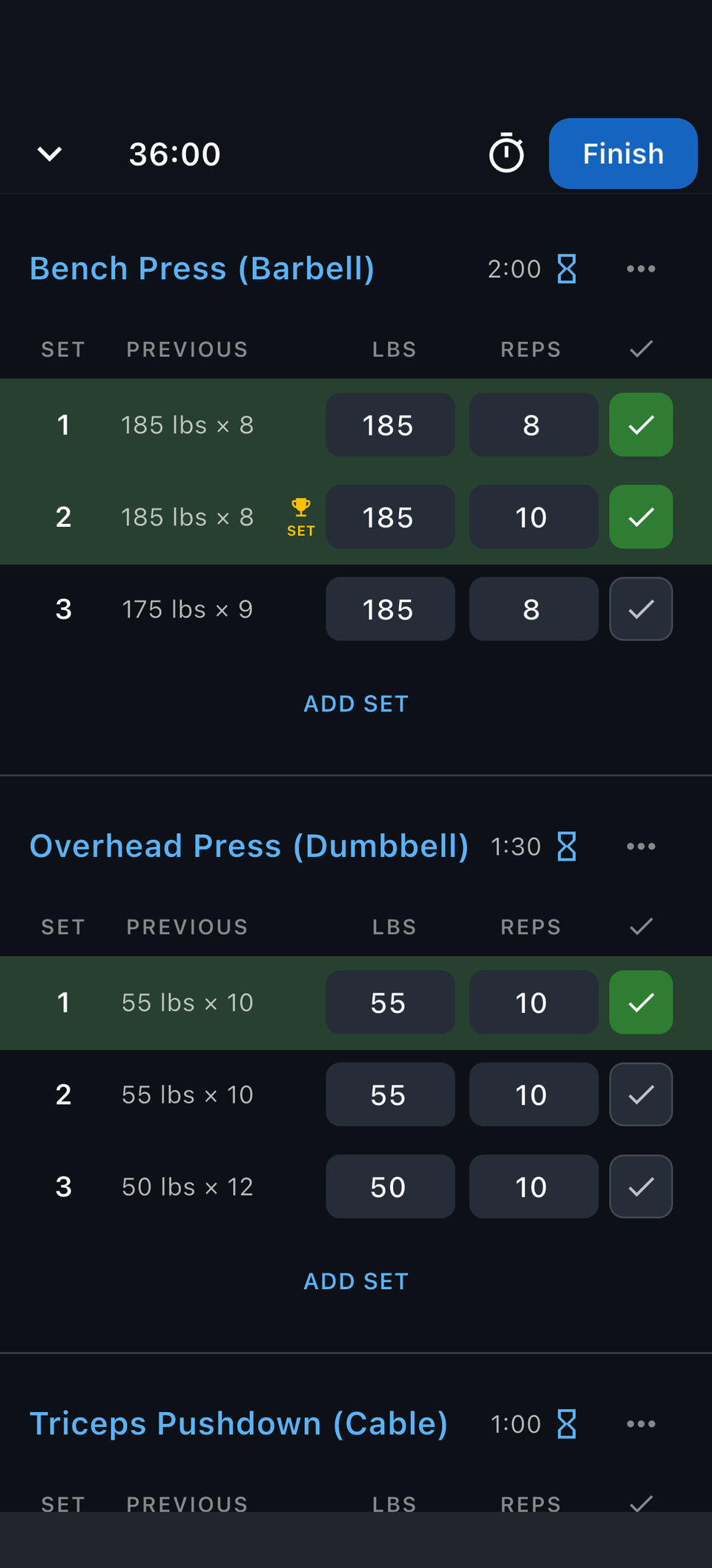
The Previous column sits beside every set, so you always know what to beat.
Last session's weight and reps are right there while you load the bar.
Every set you log rolls into your PRs and charts automatically.
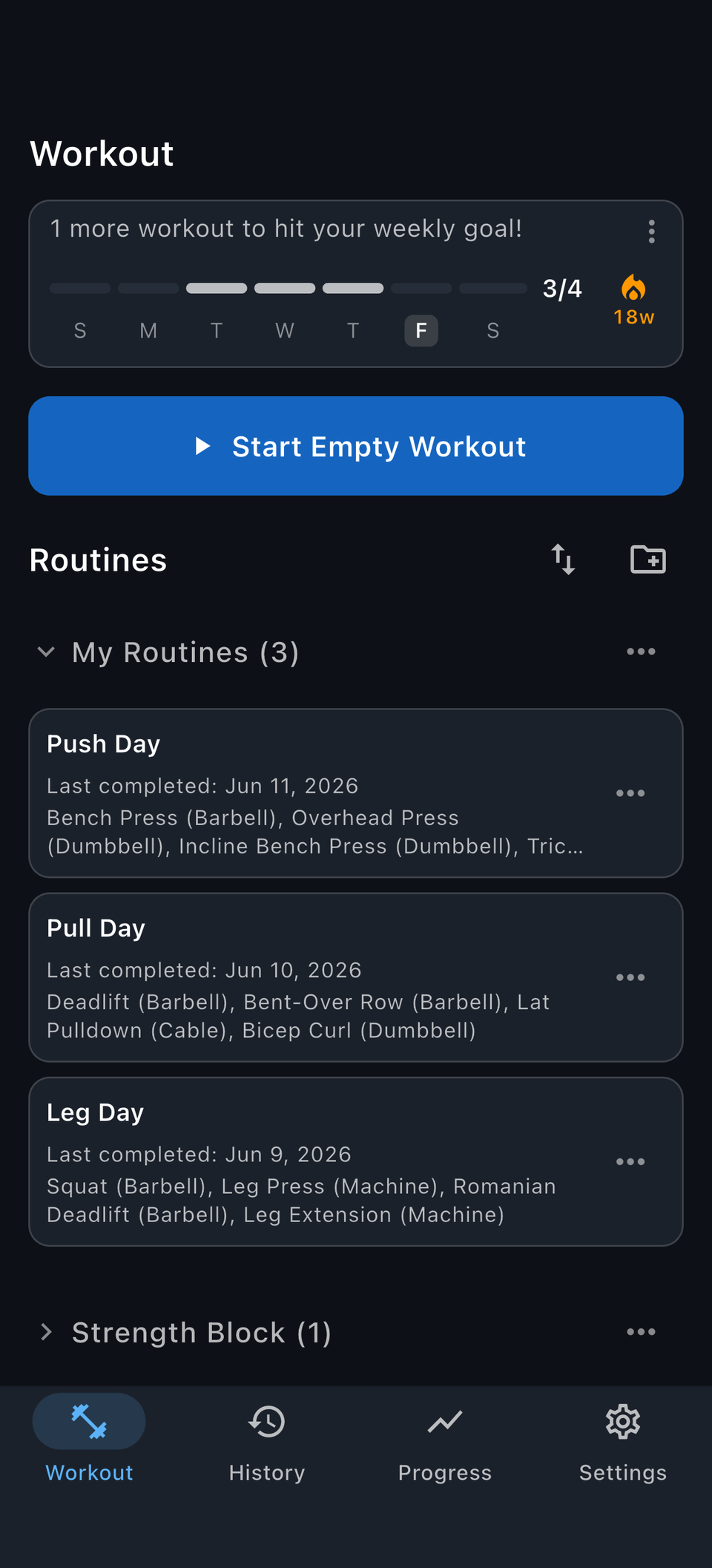
Most training weeks repeat. Save your go-to workouts as routines so the next session starts with the right exercises, targets, and rest timers already in place. Learn how to create a routine.
Open the routine and the whole session is laid out.
Unlimited saved routines, free.
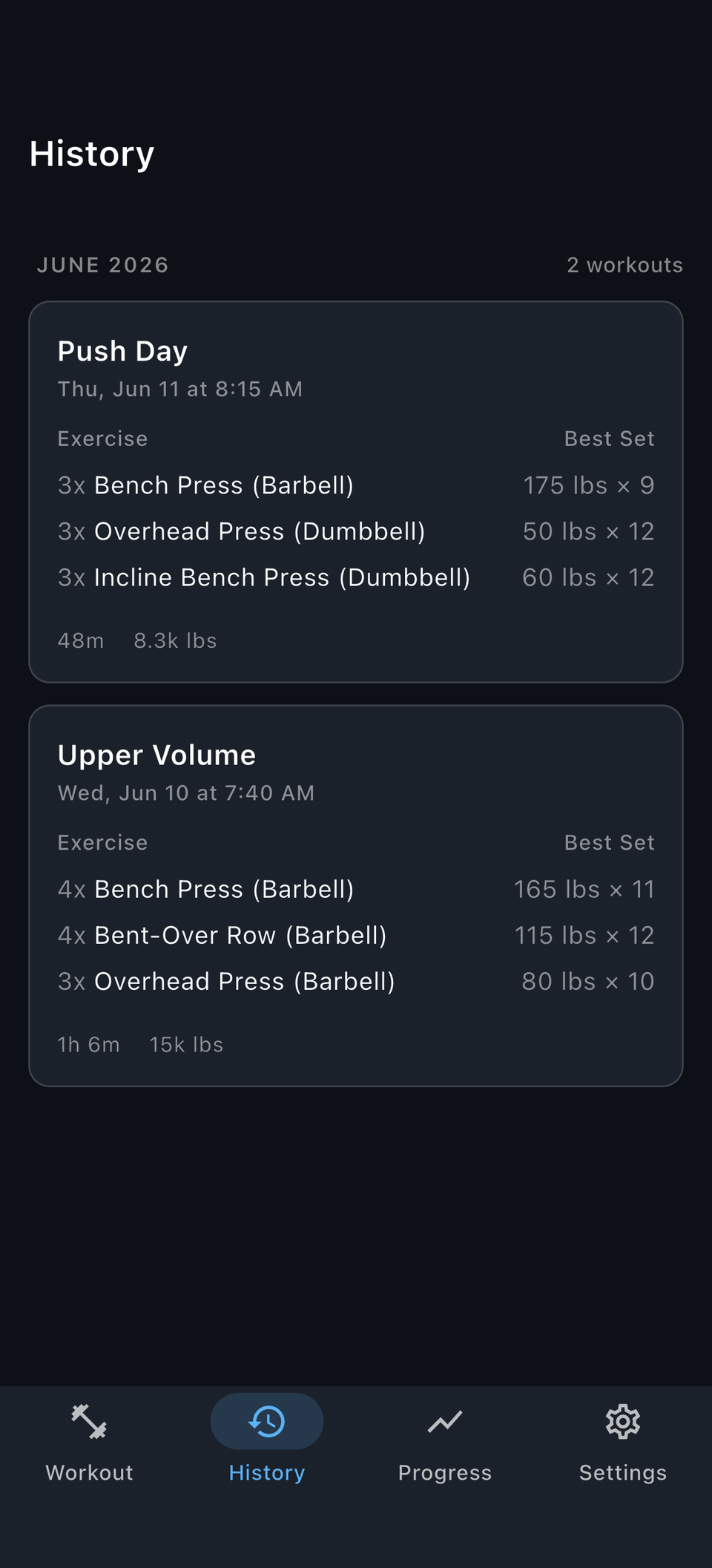
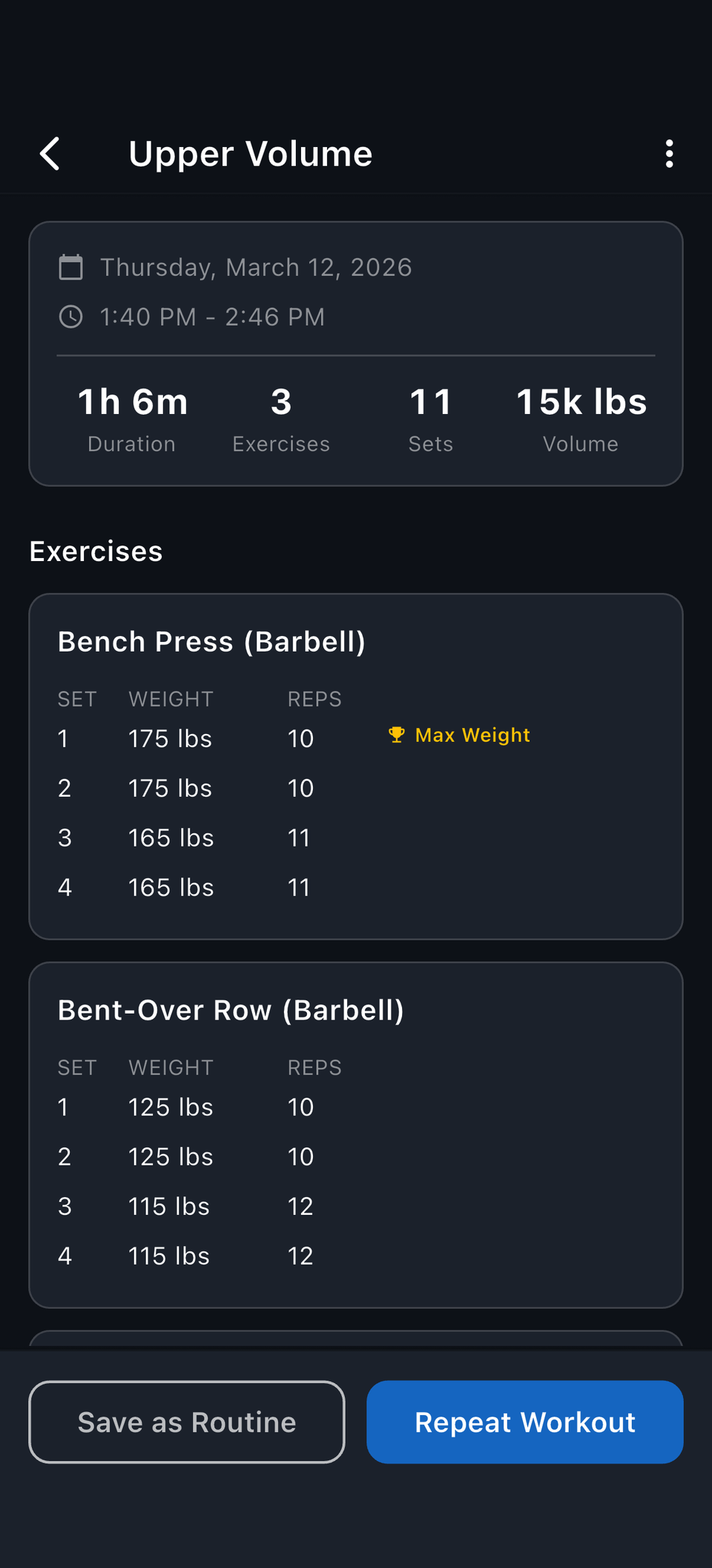
Every finished session stays in your history: exercises, sets, PRs, and notes.
Scan your training by month with best sets and session volume.
Open any workout to see every set, PR, and note from that day.
Turn a good session into a routine, or repeat it as-is.
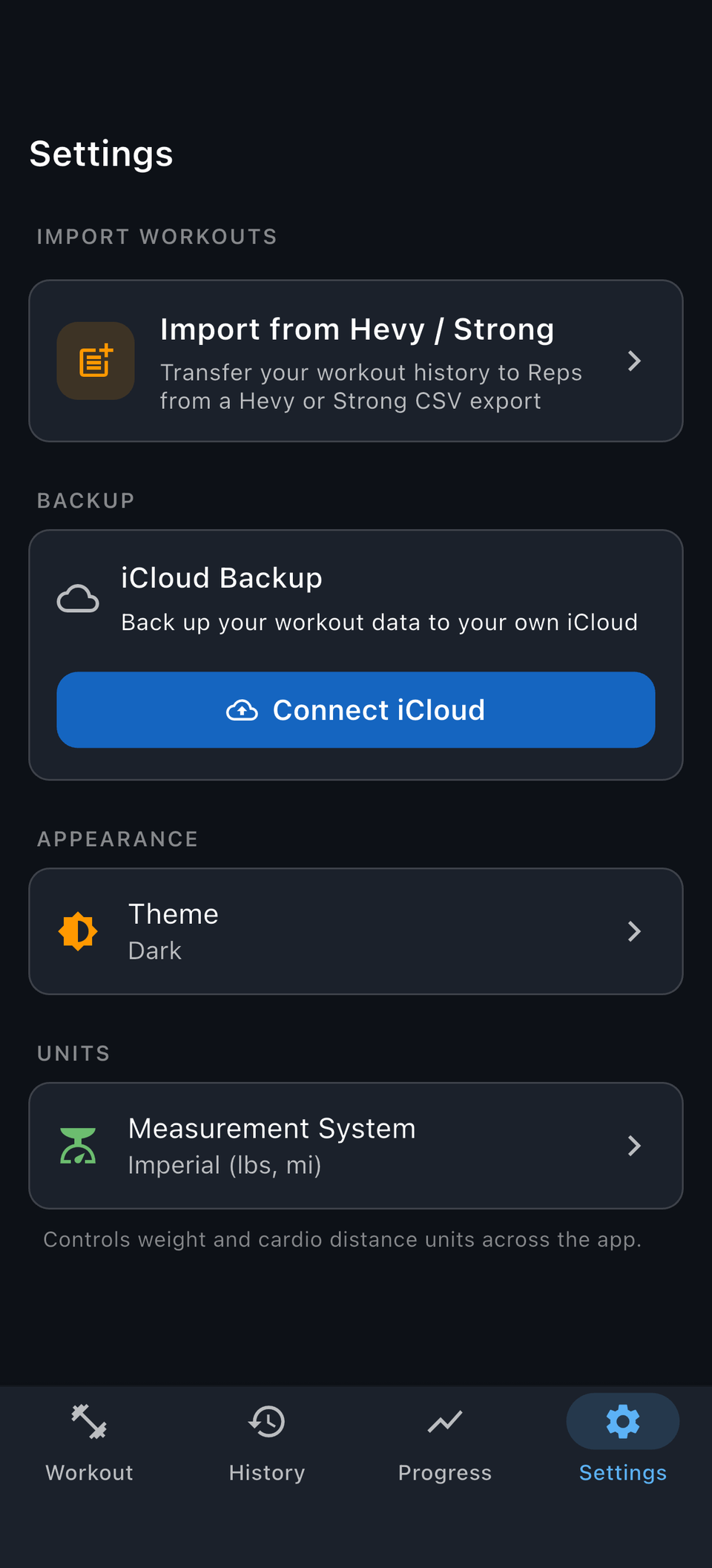
Your log is yours: take it with you or bring it from another app.
Export your full history anytime, and auto-back up to your own iCloud or Google Drive.
Bring old workouts in and review them before anything saves.
Yes. Logging workouts is the whole point: sets, reps, weight, notes, routines, and history.
Yes. Create custom exercises so your log matches how you actually train.
Yes. You can edit completed workouts whenever you need to fix or update them.
Yes. You can export your training history anytime.
Yes. You can bring your workout history over from Strong or Hevy.
Reps is currently best for gym and strength training, but it can also track distance, duration, steps, floors, and timed work.
Fast set logging, previous results, and complete history you can take anywhere. No subscription. Free on iPhone and Android.