
Previous column
Last session's weight and reps sit beside every set you log.
Log your lifts, chase PRs, and watch your estimated 1RM climb, without a subscription. Reps is a tracker, not an AI coach: you run the program, it keeps the numbers straight.


Free on iPhone and Android.
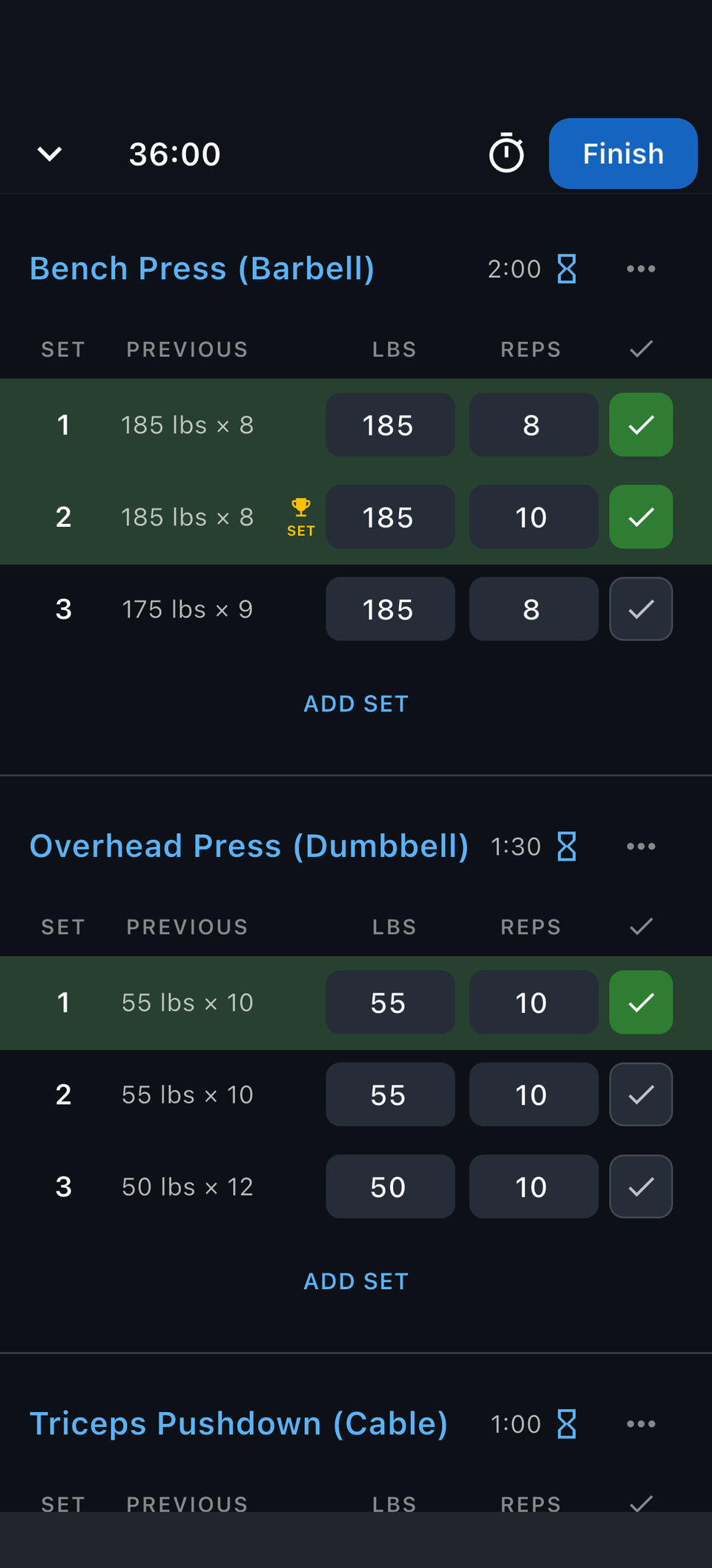
Was it 175 for 9, or 175 for 8 with a grinder? Reps keeps last time's numbers beside every set, so the next move takes one glance.
Last session's weight and reps sit beside every set you log.
Record-setting sets get flagged while you are still training.
Your routine's target sets and reps are pre-filled when the session starts.
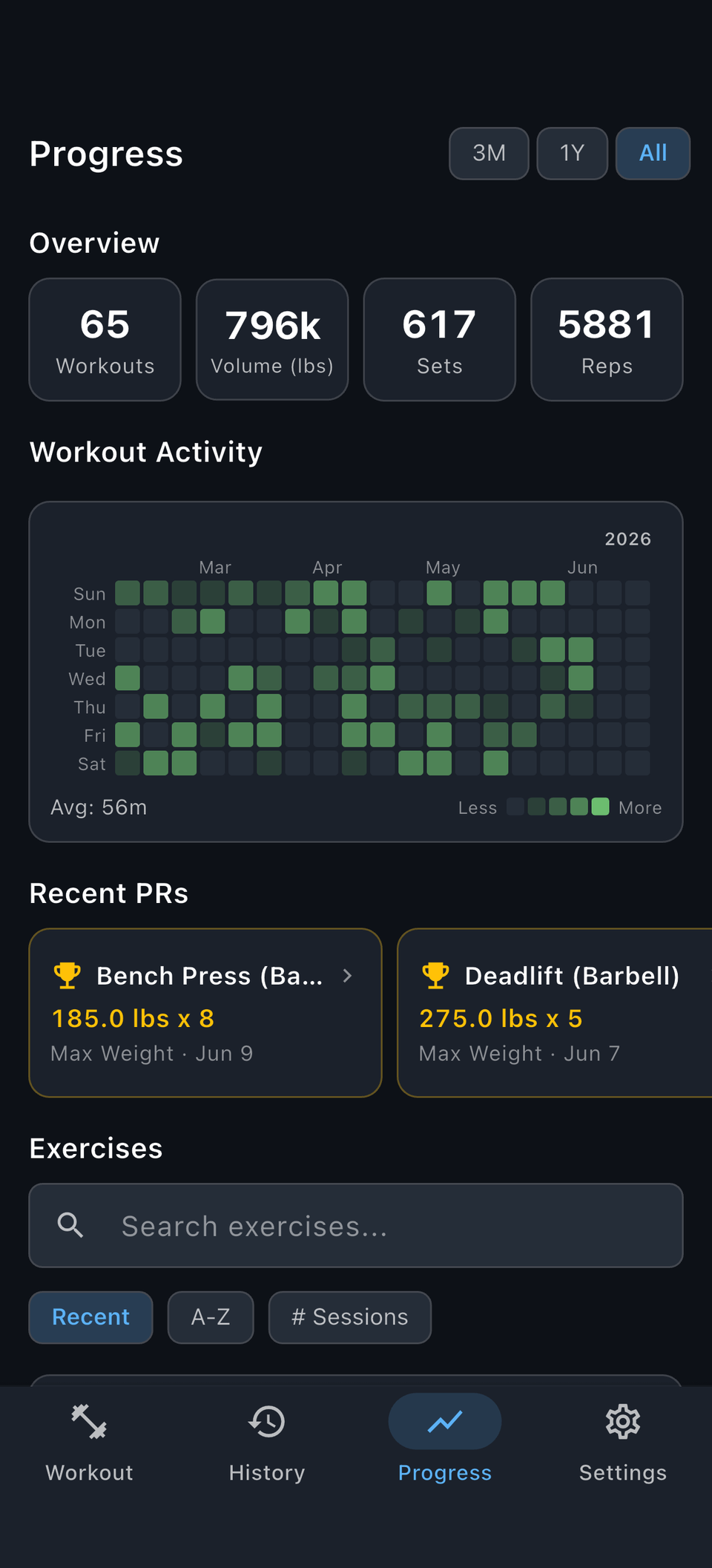
A lifting log should celebrate every kind of strength progress, automatically and free.
Max weight, best set, best session, and estimated 1RM per lift.
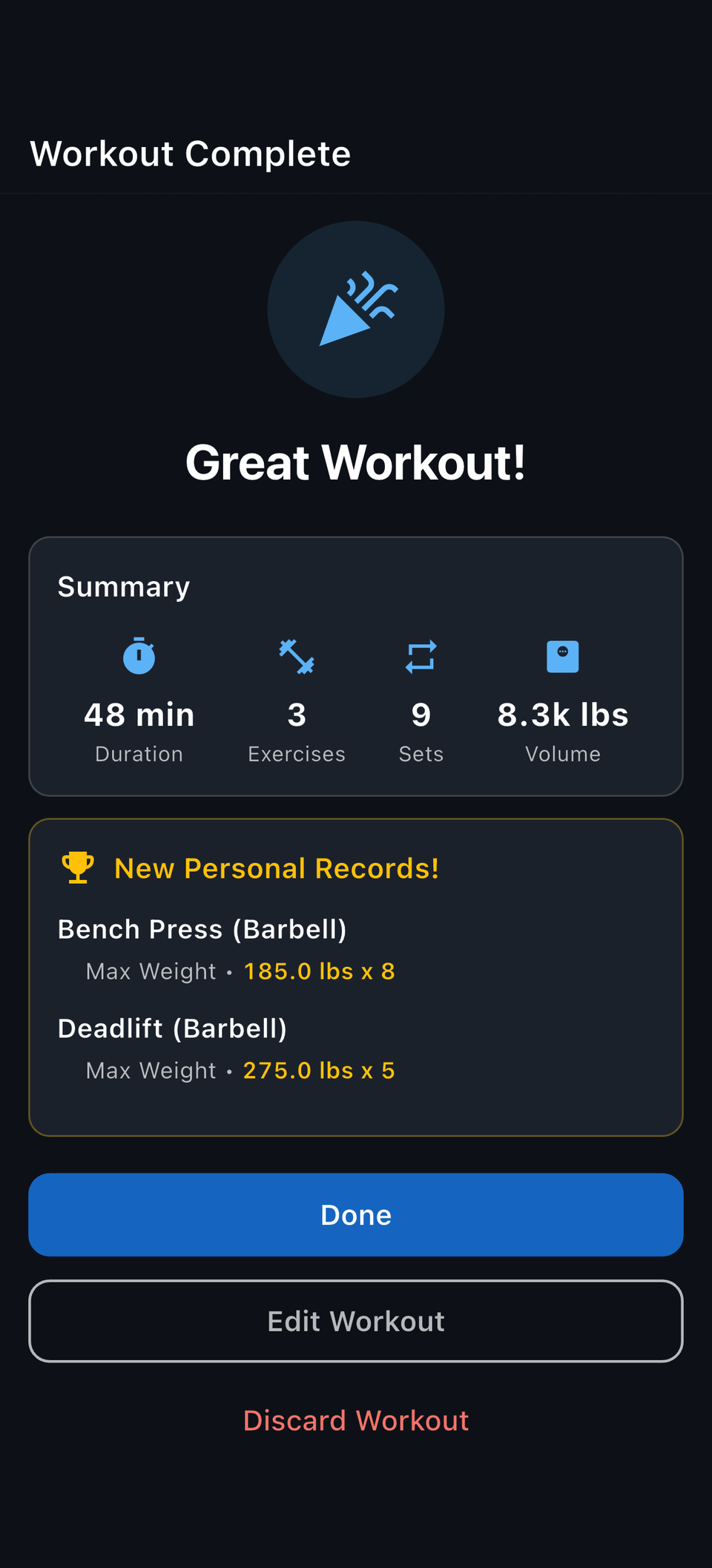
The summary screen calls out every record you just set.
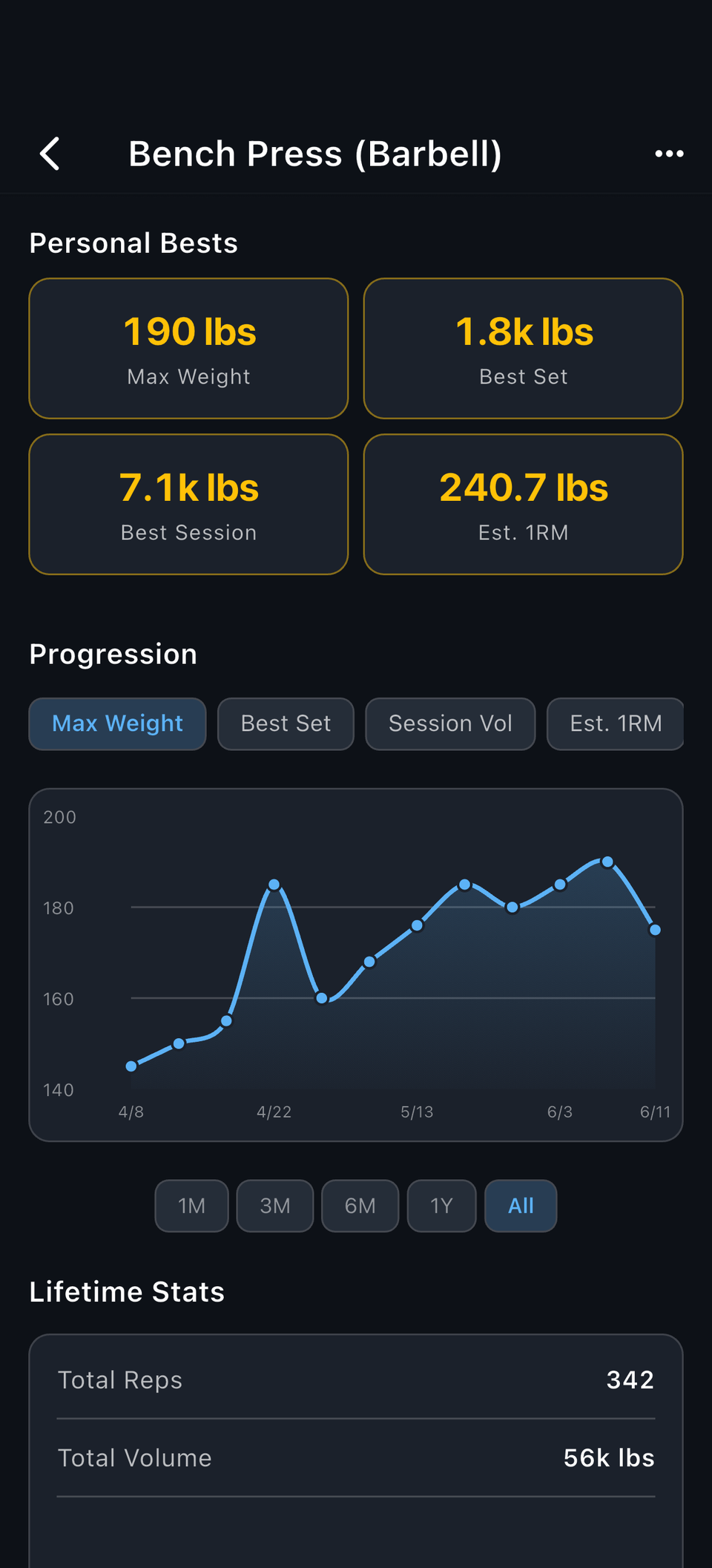
One good workout is nice; a trend is better. Charts show estimated 1RM, volume, and lifetime stats across months.
Max weight, best set, session volume, and estimated 1RM over time.
Zoom out far enough to see whether a lift is really trending up.
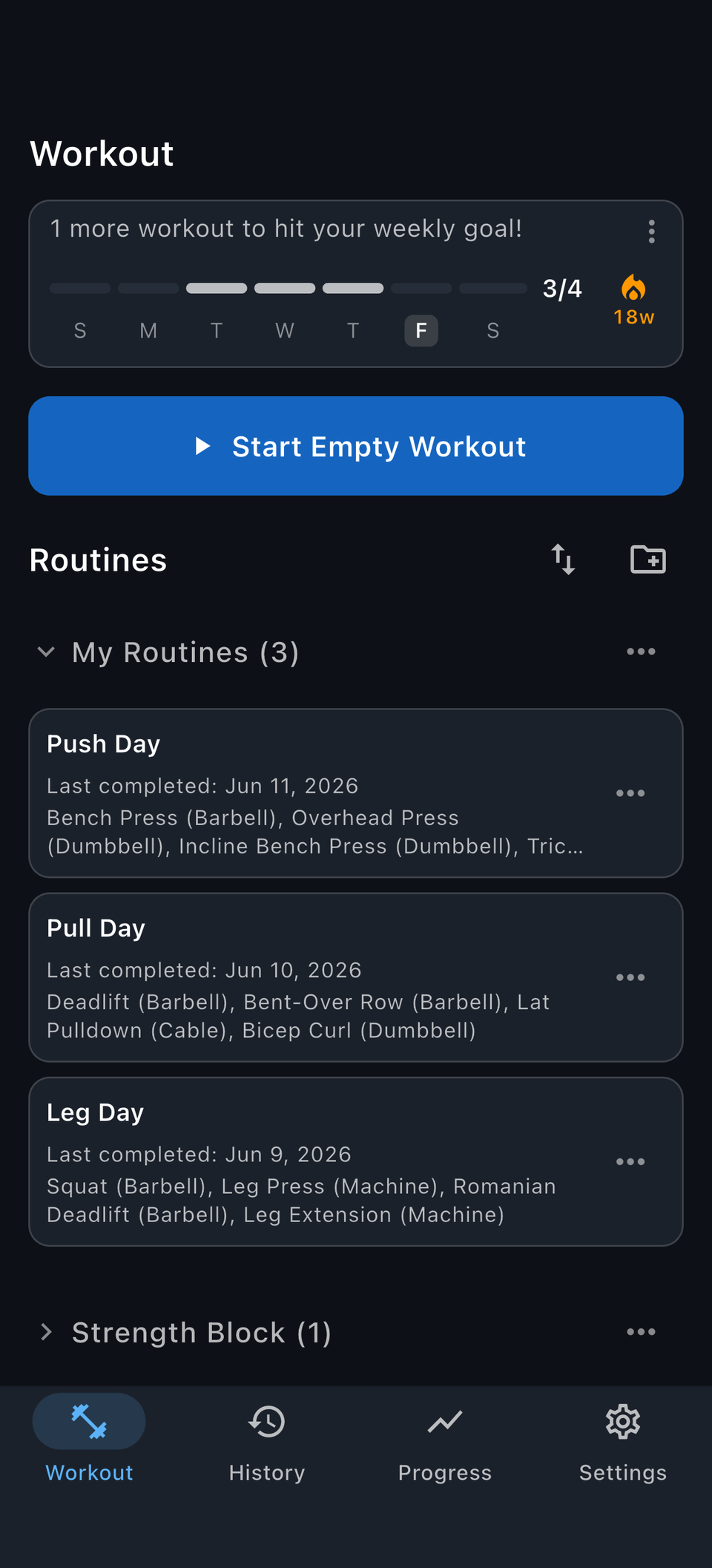
Save the routines you repeat, whatever your split. Targets and rest timers are ready when the workout starts.
Every day of your split gets its own saved routine, free.
Group routines into programs so your training stays organized.
Create custom lifts for variations, machines, or specialty bars; they get the same PR tracking and charts. Bring your history from Strong or Hevy and your PRs come with you.
Yes. Log your lifts, save routines, and track PRs and strength trends.
Yes. Reps tracks personal records such as max weight, best set, best session, and estimated 1RM.
Yes. Every lift gets an estimated 1RM so you can follow strength trends without maxing out.
Yes. Reps has a measurement system setting that switches between imperial and metric units across the app.
Yes. Create as many custom lifts as you need.
No. You choose the training; Reps tracks it.
PRs, estimated 1RM, exercise charts, and complete lifting history. No subscription. Free on iPhone and Android.