Set target rep ranges in a routine
Set a target rep range to give yourself flexibility in how many reps you aim for each set.
Rep ranges are available for exercises that track weight and reps.
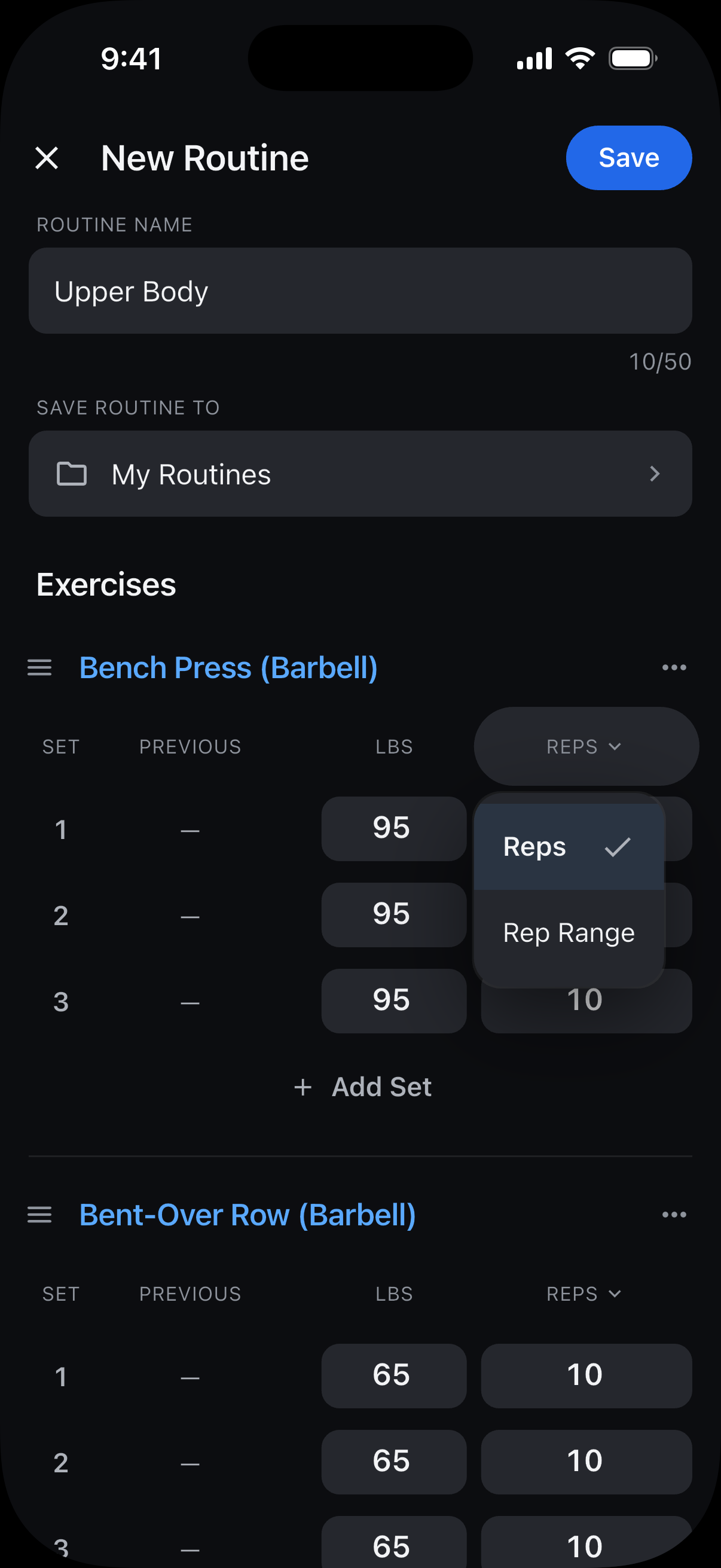
While creating or editing a routine, tap the Reps heading and downward arrow above an exercise’s sets.
Choose Rep Range.
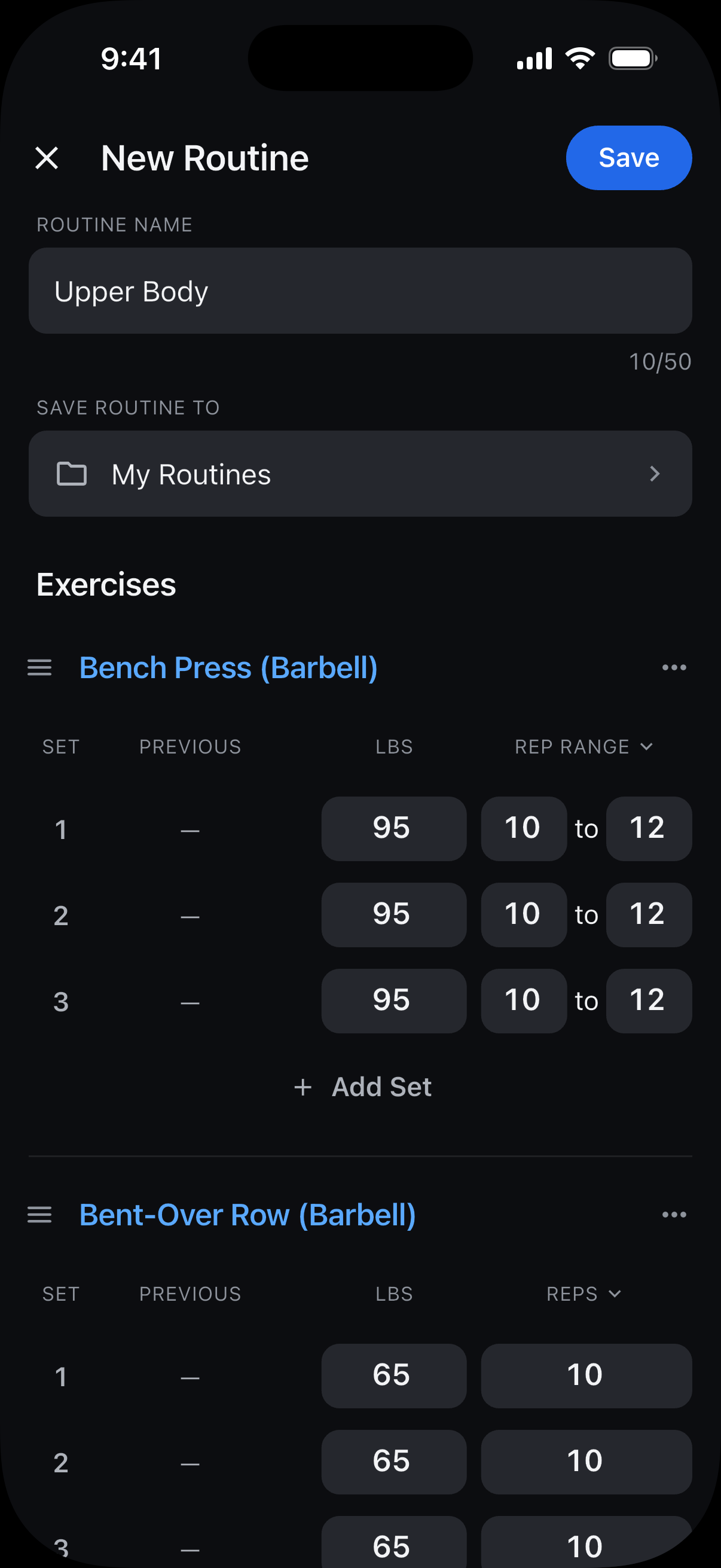
Enter a lower and upper target for each set, such as 10 to 12, then tap Save.
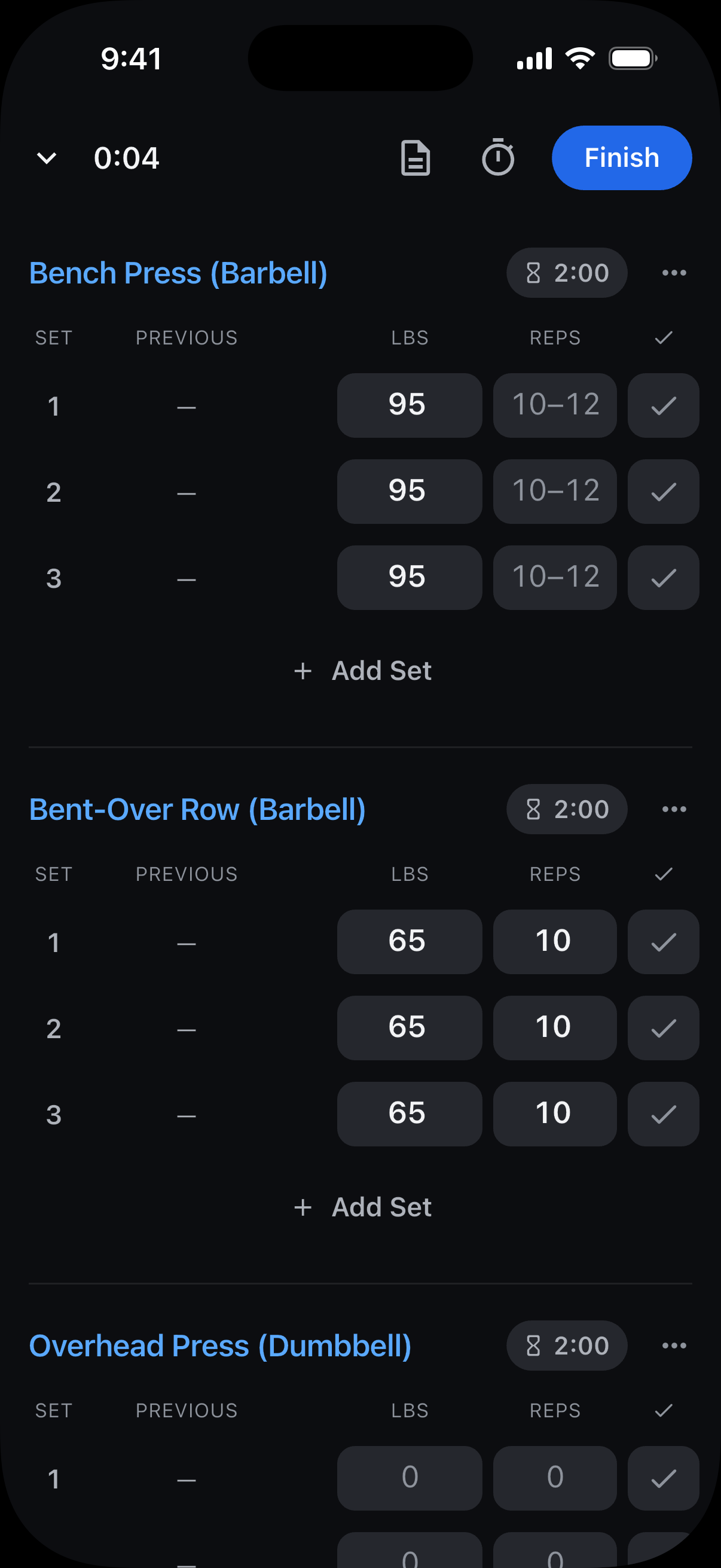
Your ranges stay with the routine and appear in the reps fields every time you start it, even when Previous shows a different rep count.
Still need help? Email support@trackreps.com.