
How to edit a routine
Adjust your routine as your training changes, so it’s ready for your next workout.
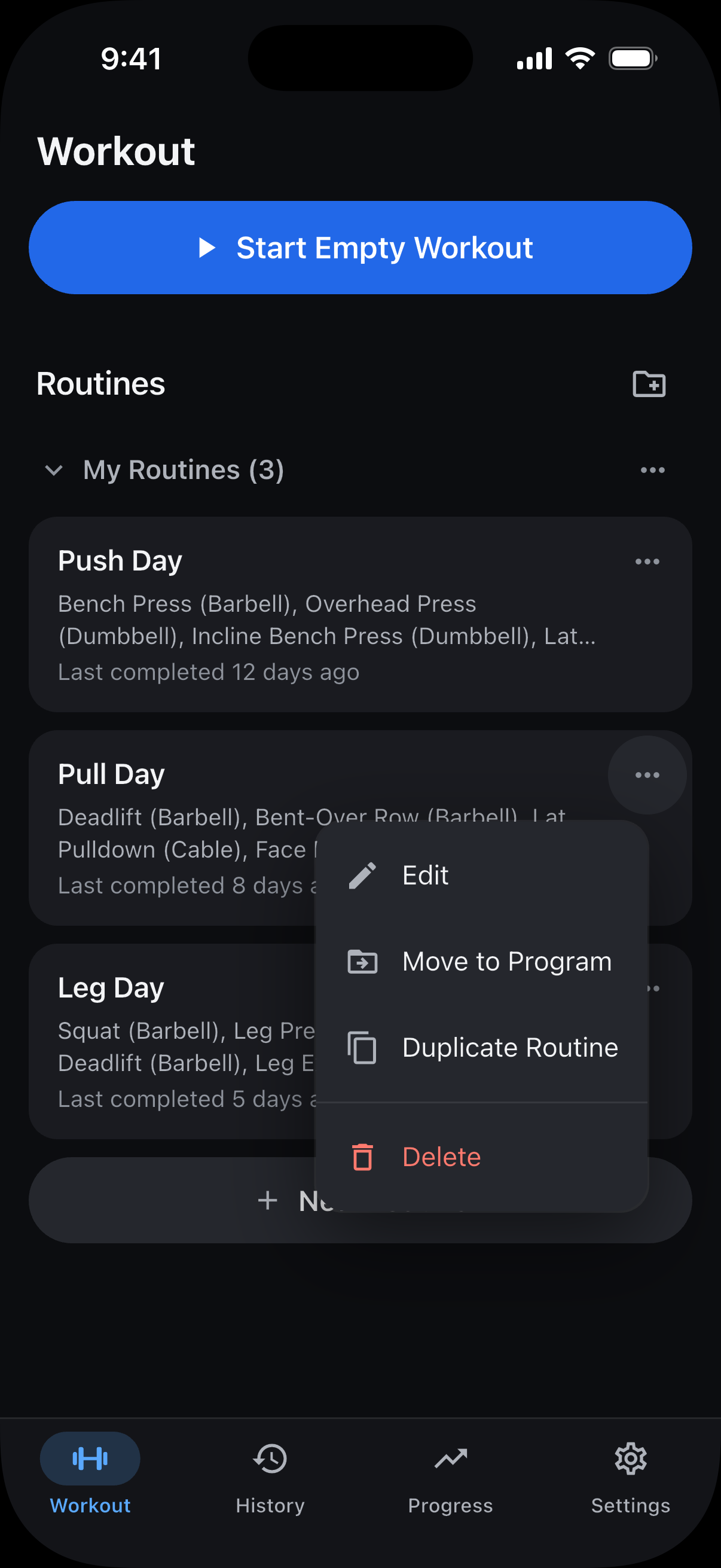
On the Workout tab, under Routines, find the routine you want to edit. Tap the three dots on its card, then tap Edit.
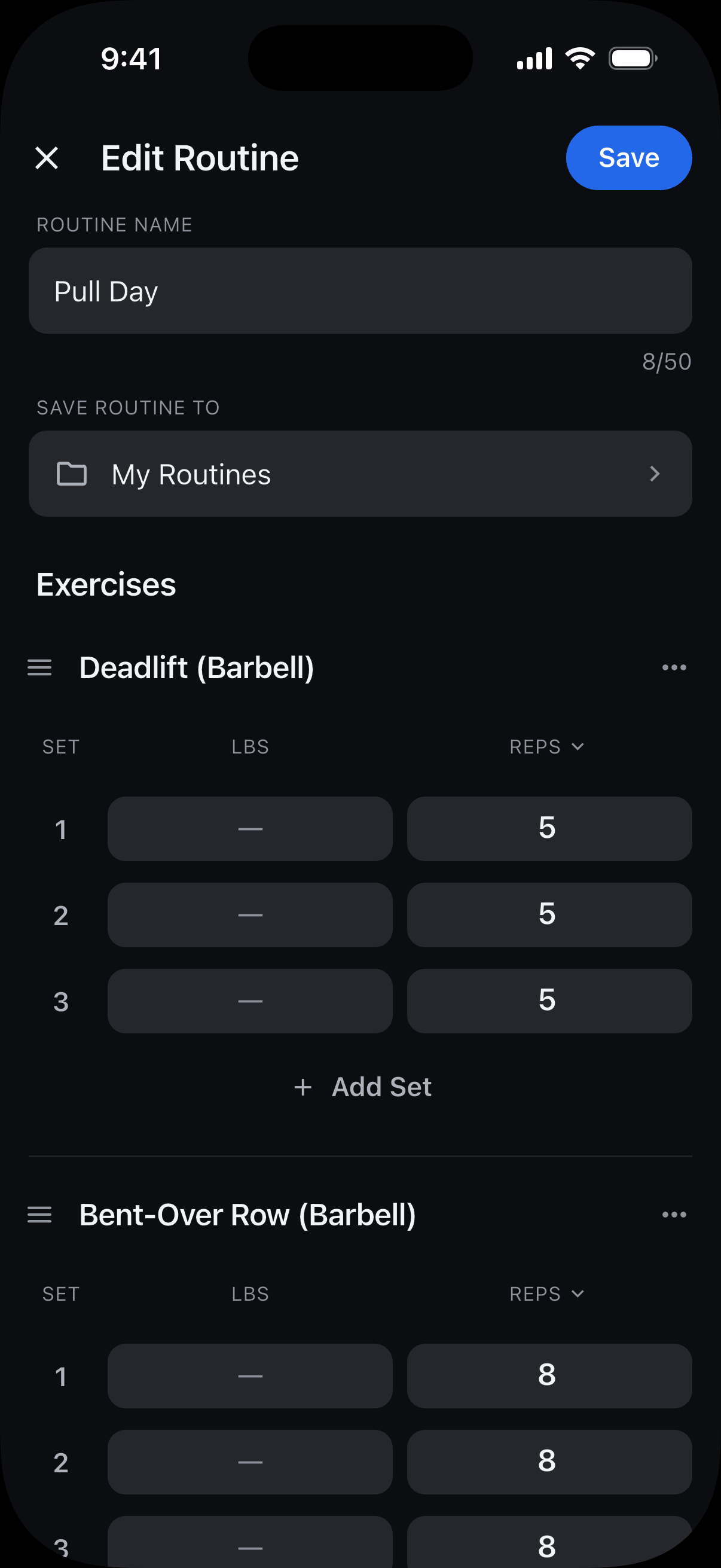
To add exercises, tap Add Exercise below the exercises, choose the exercises you want, then tap the Add button at the bottom.
To remove an exercise from the routine, tap the three dots beside its name, choose Remove Exercise, then tap Remove Exercise to confirm.
To add a set, tap Add Set under the exercise. Swipe left on a set to remove it.
Tap Save. Your updated routine is ready for your next workout.
Still need help? Email support@trackreps.com.